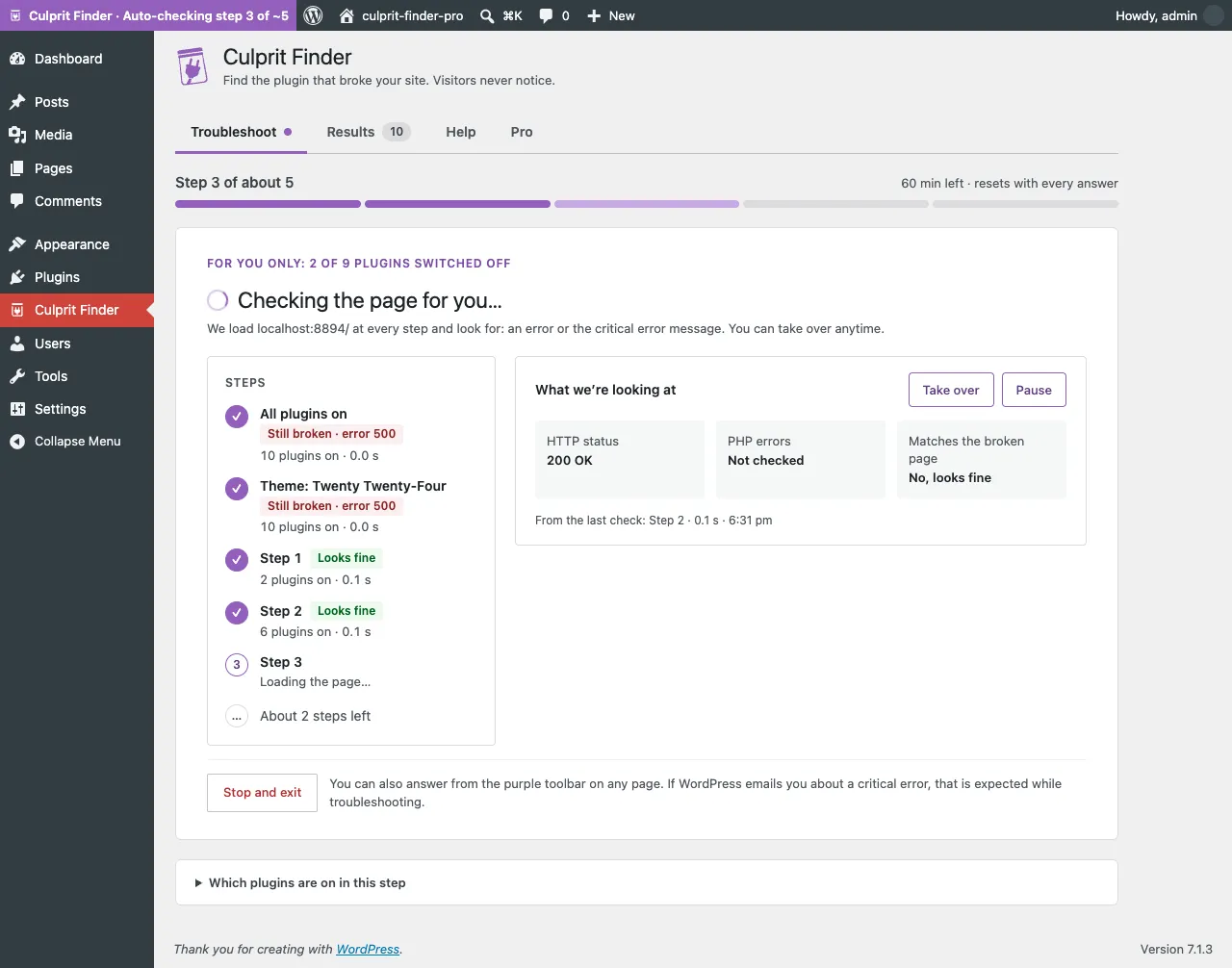
Check it for me
Pro loads the page and answers every step
Describe what broken looks like once. Pro checks the page at each step for you. Pause it or take over whenever you want, and the session keeps going either way.

Plans and pricing
The free plugin finds the culprit on any number of sites, with no time limit. Pro is the add-on for people who troubleshoot often, or for clients. Most sites never need it.
Any number of sites
$0free forever
The full troubleshooting plugin
1 site
$29per year
Everything in Free, plus
Best value per site
Up to 5 sites
$99per year
$19.80 per site
Everything in Free, plus
Every site you manage
$199per year
Everything in Free, plus
What Pro adds
Check it for me
Describe what broken looks like once. Pro checks the page at each step for you. Pause it or take over whenever you want, and the session keeps going either way.
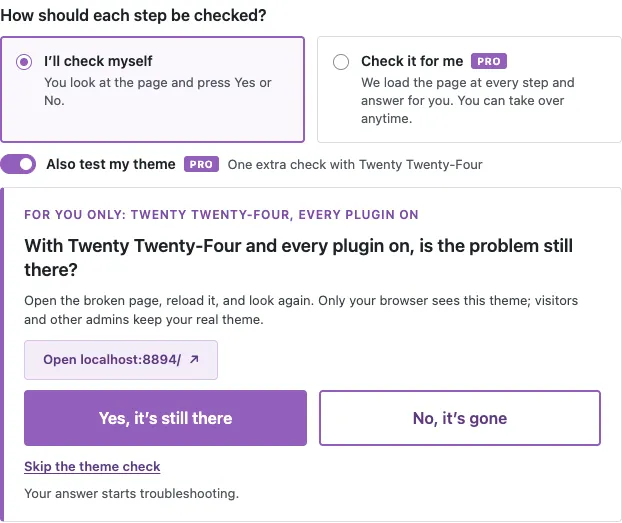
Theme check
One extra check with a default theme, for your browser only. Your visitors and your real theme are untouched, and the answer appears next to the verdict.
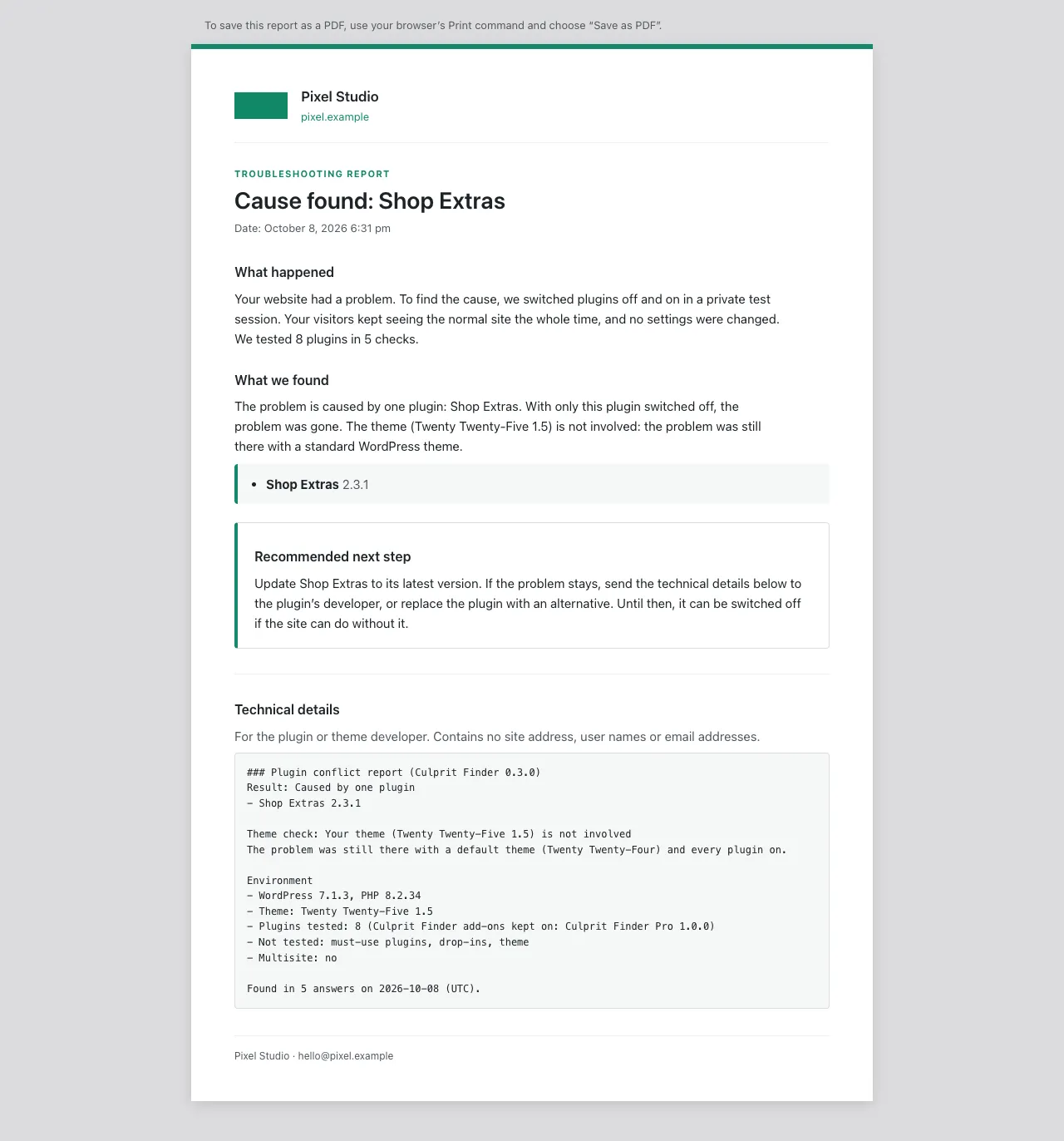
Client reports
Your name, logo, colour and footer line, in plain English. Print it or save it as a PDF and send it, without the technical noise.
Free vs Pro
Rows that differ
| Free | Pro | |
|---|---|---|
| Finding the culprit | ||
| Names the plugin behind the problem | Yes | Yes |
| Catches two plugins that only break together | Yes | Yes |
| Visitors never see a change | Yes | Yes |
| Answer from the page, toolbar, widget or control panel | Yes | Yes |
| Answers each step for you (differs) | You answer each step | Pro loads the page and answers |
| Pause or take over mid-session (differs) | Not needed | Yes, at any point |
| Theme check (differs) | Not tested | One extra step |
| Report (differs) | Support report (text, no branding) | Branded client report, print or PDF |
| Sessions and safety | ||
| Safety links and an emergency exit | Yes | Yes |
| Ends on its own | After 1 hour idle, 3 hours at most | After 1 hour idle, 3 hours at most |
| Results history | Last 10, kept on your site | Last 10, kept on your site |
| Sends data anywhere (differs) | No external requests at all | Only to Freemius, for the license and updates |
| Limits and practicalities | ||
| Multisite | Not supported | Not supported |
| Must-use plugins, drop-ins, server settings | Not tested | Not tested |
| Updates (differs) | From WordPress.org | Included for the year |
| Support (differs) | WordPress.org forum | Email support@getculpritfinder.com |
| Sites (differs) | Any number of sites | 1, 5 or unlimited, by plan |
| Price (differs) | $0 | From $29 per year |
Yes, and it is the same plugin people pay for minus three things. Culprit Finder is free on WordPress.org, with no license, no account and no time limit. Most sites never need Pro.
Pro’s features switch off until you renew. The free plugin keeps working exactly as before, and your settings, branding and results are kept, so renewing restores everything.
Only to Freemius, to activate the license and check for updates. No usage data, no analytics. Auto mode loads pages of your own site only, using the session you are already logged in with.
Yes. Pro is an add-on: the free plugin does the troubleshooting and Pro adds to it. Install the free plugin first, then Pro.
Yes. Deactivate it under Culprit Finder → Account on the old site first, then activate it on the new one.
Email support@getculpritfinder.com within 14 days of your purchase and we refund it.

It is the fastest way to find the culprit, and it stays useful whether or not you add Pro later.